 COME
COMECOME Sports Connection Checks: Check Usage Conditions
For a Sports connection problem, check the activity, account eligibility, local rules and personal limits before participation.
If other sites also fail, investigate the device connection. If only one product screen stalls, keep that screen, time and message for help. Do not repeat a pending account action to test the network.
Opening a page is not eligibility approval
A product page can load even when a particular activity is unavailable to your account or location. Read the current conditions attached to that activity before joining it. Do not infer eligibility from an APK download, a category label or a promotional screenshot.
Age, location, identity and other requirements can differ across activities and jurisdictions. Use the actual current terms and applicable law. This guide does not assign an unsupported universal minimum age or promise access throughout India.
Identify the activity and its consequences
Browsing a category, selecting a fantasy team, entering a paid activity and reading a cricket score are different actions. Look for the specific rules, cost, closing time and confirmation step for the task you are considering. Ask for clarification when a unit or consequence is unclear.
Terms such as Coins or Skill Score should be read with their definitions. Do not assume that they are cash, freely transferable, withdrawable or interchangeable merely because a number appears on a screen. A promotional amount is also not your account balance.
Set limits before the session
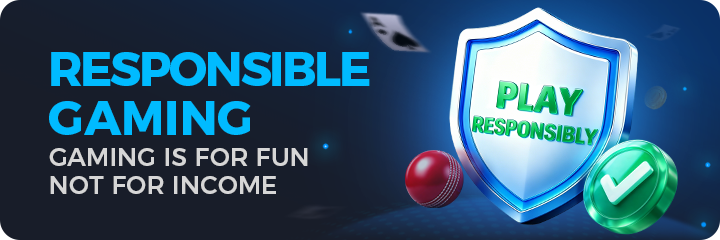
The responsible-gaming artwork states that gaming is for fun, not for income. Treat entertainment time and any permitted spending as limits you decide in advance. Avoid chasing losses or using a promised reward as a budget plan.
Use the product's current limit, pause or help controls if they are available and relevant. Do not invent a control that you cannot find. If the activity is becoming difficult to stop, pause participation and seek appropriate support rather than making another deposit to recover an earlier outcome.
Respect a restriction
A location, age or account restriction is a condition to resolve through legitimate information and support. Do not use another person's account or a workaround to bypass it. A help reply about navigation is not legal permission to participate.
Completion can mean deciding not to proceed. Knowing the rules and recognising an unanswered eligibility question are useful outcomes. A successful installation is only a device result; participation remains a separate decision.
Apply this to a Sports connection problem
Confirm that you are at the intended product and note whether all pages or only Sports are affected. Compare ordinary connectivity and one trusted connection. Keep a loading symptom separate from an unavailable activity or account restriction.
In this situation, complete the relevant check before repeating another stage. Check the activity, account eligibility, local rules and personal limits before participation. Keep the result with the exact screen or file so a later step can use it instead of starting the whole process again.
A practical completion check
- Identify the exact activity and its current conditions.
- Check eligibility and applicable rules before joining.
- Set personal limits and pause when a condition is unclear.
Questions about this task
Does successful download mean I may participate?
No. Device installation, product eligibility and applicable rules are separate checks.
Can Coins be treated as cash?
Only read the unit according to the current product definition; do not assume cash value or conversion.
A related next step
For a Sports connection problem, locate Sports and distinguish category navigation from account tools.